Chrome extension · YouTube
Watch the video.Skip the rest.
Untube hides Shorts, comments, recommendations and the endless feed — you choose exactly what goes. Everything runs locally, and nothing is hidden unless you ask for it.
Free on the Chrome Web Store · no account
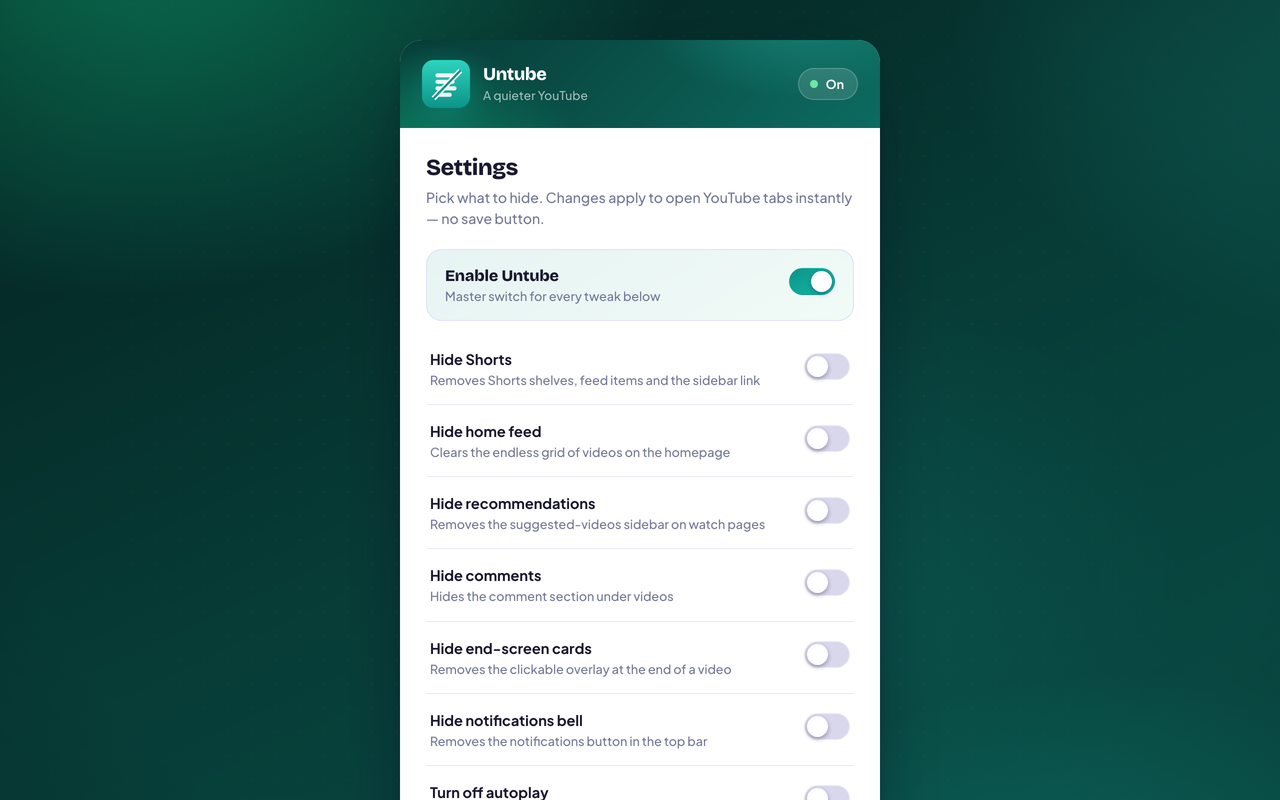
What it does
A quieter YouTube.
Hide Shorts
Removes Shorts shelves, feed items, and the sidebar link.
Hide the home feed
Clears the endless recommendation grid on the homepage.
Hide recommendations
Removes the suggested-videos sidebar on watch pages.
Hide comments
Hides the comment section under videos.
Hide end cards & bell
Removes end-screen overlays and the notifications button.
Turn off autoplay
Switches the player's autoplay toggle off automatically.
Privacy
Nothing leaves the browser.
Untube makes no network requests. Here is the complete list of what it writes to your device — there is no other copy, and no way for us to read this one.
- Your on/off preferences for each tweak (and the master switch).
2 permissions, each one explained · Read the policy
- No account
- No sign-up, no login — just flip the toggles you want.
- On your device
- Only your on/off preferences are stored, in your browser.
- No tracking
- No analytics, no third-party SDKs, no watching you back.
- No servers
- Untube makes zero network requests.
- Instant
- Changes apply to open YouTube tabs immediately.
- You choose
- Everything is off by default. Hide only what bothers you.

Add Untube to Chrome
Free, and it stays free. It works the moment it is installed — there is nothing to set up an account for.
Part of Parentech · See the other four tools