Chrome extension · parental control
Not that one.Not that channel.
Block specific YouTube videos, whole channels, or any word in a title — locked behind a 6-digit PIN so it can't be undone. Blocked videos show a notice instead of playing.
Free on the Chrome Web Store · no account
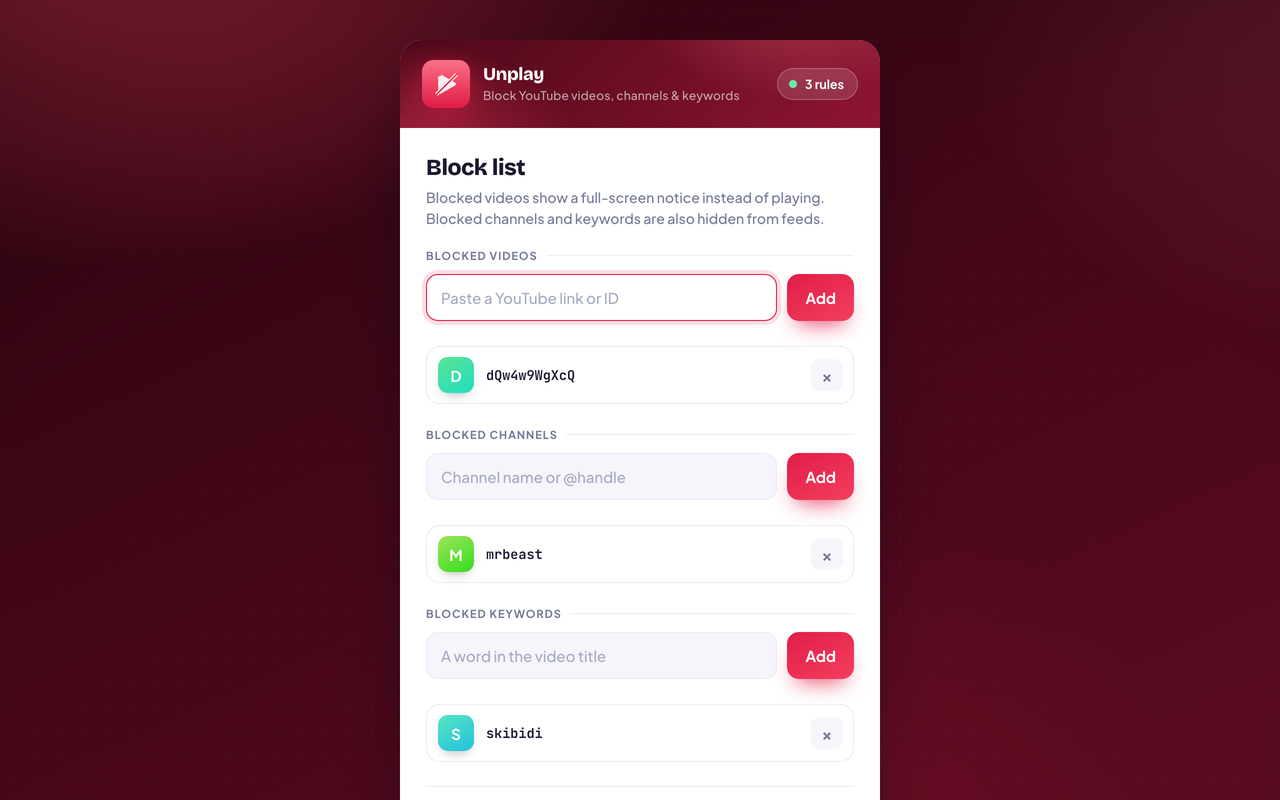
What it does
You decide what plays.
Block a video
Paste any YouTube link or ID — it shows a notice instead of playing.
Block a channel
By name or @handle. Its videos disappear from feeds and search.
Block a keyword
Any word in a video title — block whole topics at once.
6-digit PIN lock
The list can't be changed without your PIN (stored hashed, never in plain text).
Full-screen notice
Blocked videos are paused and covered with a clear message.
Hidden from feeds
Blocked channels and keywords vanish from home, search, and sidebars.
Privacy
Nothing leaves the browser.
Unplay makes no network requests. Here is the complete list of what it writes to your device — there is no other copy, and no way for us to read this one.
- Your blocked videos, channels, and keywords.
- A salted PBKDF2 hash of your PIN (the PIN itself is never stored).
- Your optional PIN hint, if set.
2 permissions, each one explained · Read the policy
- No account
- No email, no login. A PIN is all you set.
- On your device
- Your block list lives in your browser only.
- Hashed PIN
- Stored as a salted PBKDF2 hash — the PIN itself is never saved.
- No tracking
- No analytics, no SDKs, no data collection.
- No servers
- Zero network requests. Nothing to breach.
- No recovery
- Because the PIN isn't stored, not even we can read it.

Add Unplay to Chrome
Free, and it stays free. It works the moment it is installed — there is nothing to set up an account for.
Part of Parentech · See the other four tools